
 500+ NDIS Consumables
 Secure NDIS Checkout
 Fast Delivery
 Australian Owned
Shop with Your Plan Manager – Now Live on Plan Access
A simpler way to use your NDIS plan online
If you’re registered with the NDIA and on a Plan Managed NDIS plan, you can now shop on Plan Access and send your invoices directly to your Plan Manager — all in one smooth, secure flow.
No more chasing paperwork. No more emailing invoices back and forth. Just shop, check out, and we’ll take care of the rest.
How it works
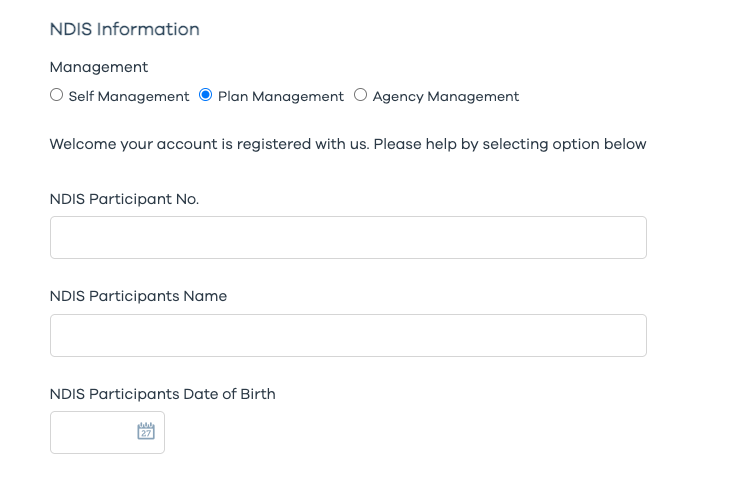
Step 1: Create your account
Sign up to Plan Access, select Plan Management, and complete your participant details.
You’ll need your NDIS details ready to get started.
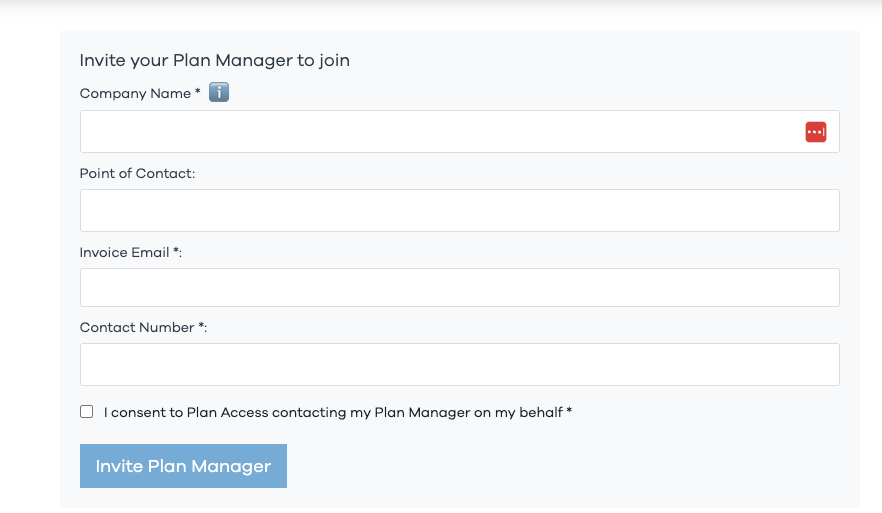
Step 2: Invite your Plan Manager
From your account dashboard, send a quick invite to your Plan Manager.
This allows invoices to be sent directly to them for review and payment once you check out.
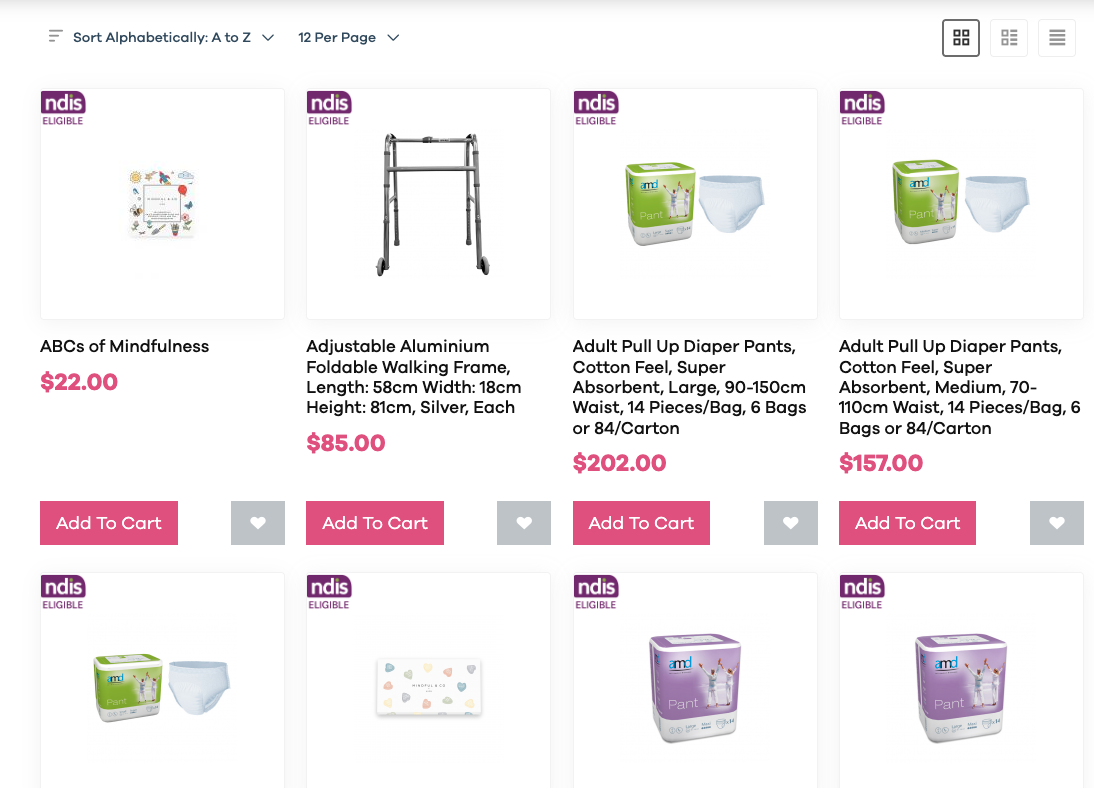
Step 3: Shop NDIS-eligible items
Browse the marketplace and look for products clearly marked NDIS Eligible.
Add what you need to your cart — just like any other online store.
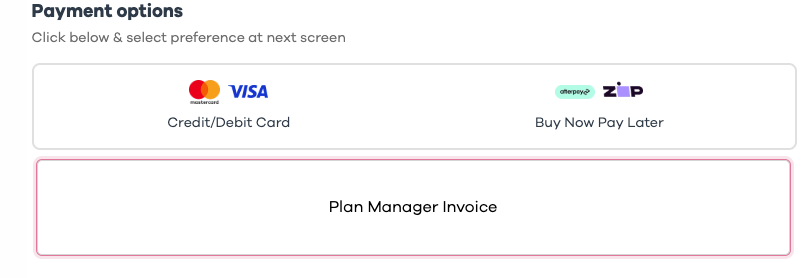
Step 4: Check out and send the invoice
At checkout, choose Send Invoice to Plan Manager and we’ll handle the rest.
Your invoice is sent directly to your Plan Manager for approval and payment.
Important information about NDIS funding
NDIS funds can only be used for items that are approved under your plan.
Final eligibility is determined by the NDIA at the point of checkout. If you’re unsure whether a product is covered, we recommend speaking with your Support Coordinator or Plan Manager before purchasing.
Ready to get started?
New to Plan Access?
Create your account and start shopping with your Plan Manager today.
Already registered?
Log in and invite your Plan Manager to unlock Plan Managed checkout.
Plan Access is an online NDIS marketplace designed to make finding, buying and paying for NDIS supports simple, secure and stress-free.